Zoho Backstage makes it easy to manage large-scale meetings and events like conferences, trade shows, and product launches.
 Watch Zoho Backsatge In Action
Zoho Backstage is enterprise event management software that helps you create memorable experiences. It’s everything you need to succeed: website building, ticketing, event promotion, attendee registration, and more.
Create a comprehensive schedule for your event. Simply drag and drop elements to arrange sessions.
Image already added
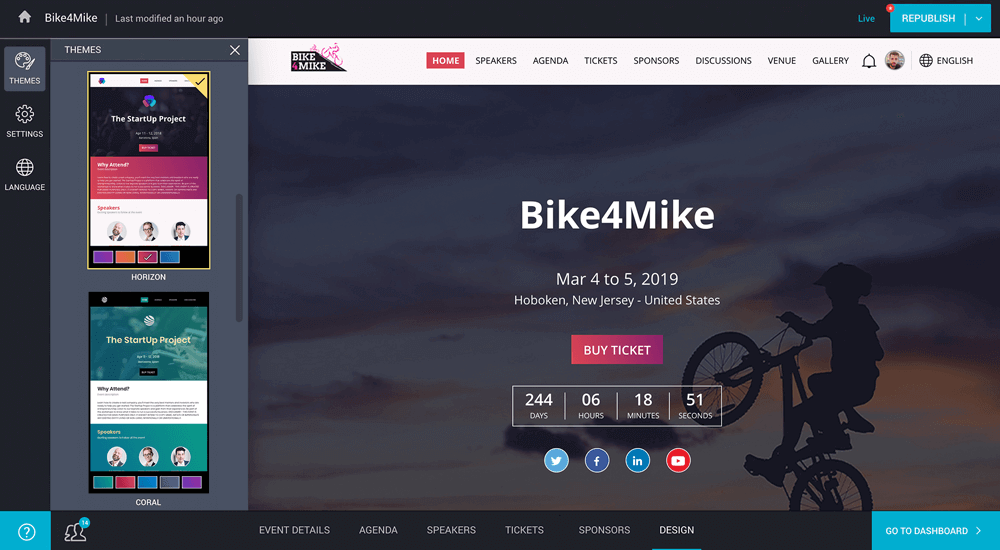
Personalise your event website to brand it as your own. Map a custom domain and secure it with SSL certification.
Image already added
Capitalise on the power of social media. Share your event on multiple platforms, with ready-to-use, customisable banner ads for promotion.
Image already added
Establish a global connection for your event by making your website available in multiple languages.
Image already added
Assess your event’s performance with easy-to-understand charts and statistics. Identify any shortcomings and overcome them.
Image already added
Manage your events efficiently, without breaking the bank. Our pricing is structured to fit any large corporation, freelancer, small team, or agency.
Image already added
Take better control over your tasks and schedules and execute projects to perfection with these powerful features.
Every event needs a single launch pad. Zoho Backstage will steer you through a series of steps to create a rich website for your event with zero help from design personnel. It’s true! You don’t have to write a single line of code. Populate your content and go live.
Image already added
Image already added
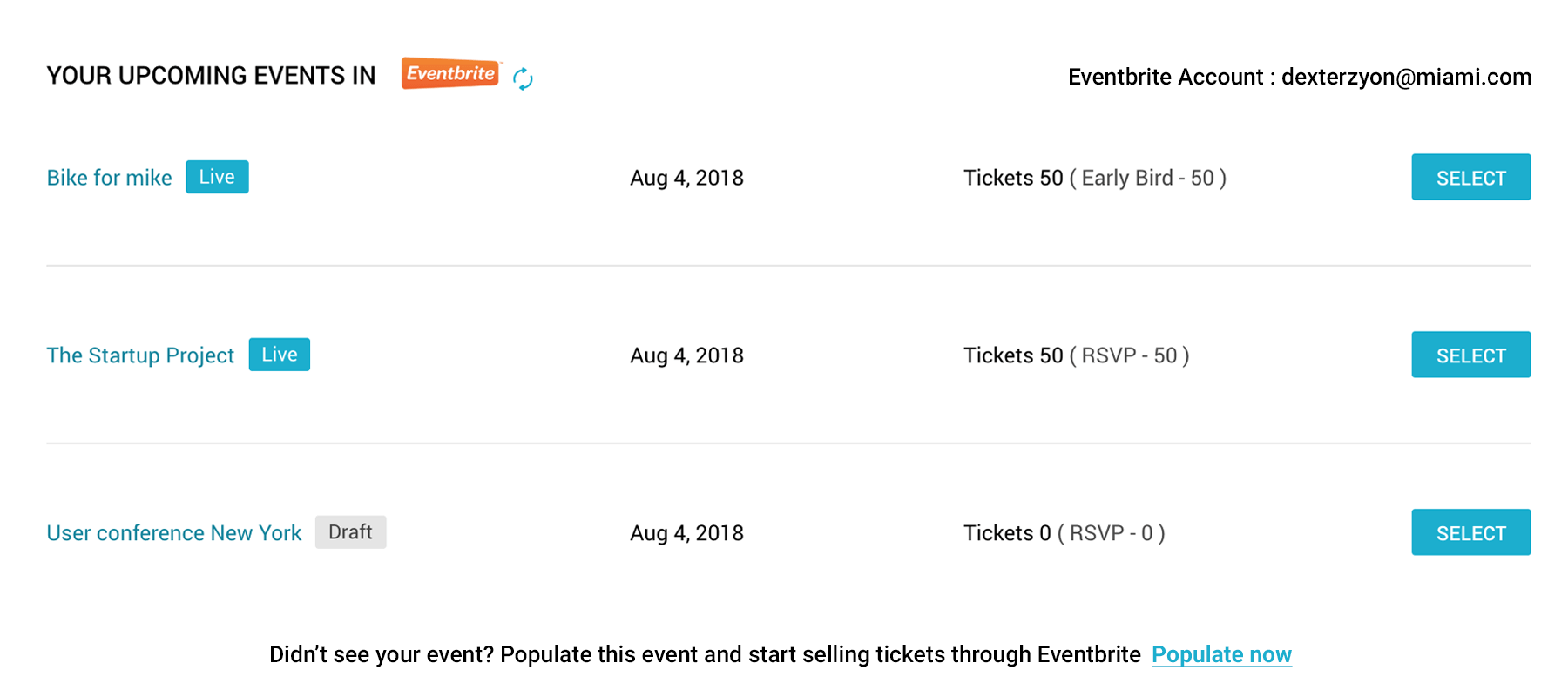
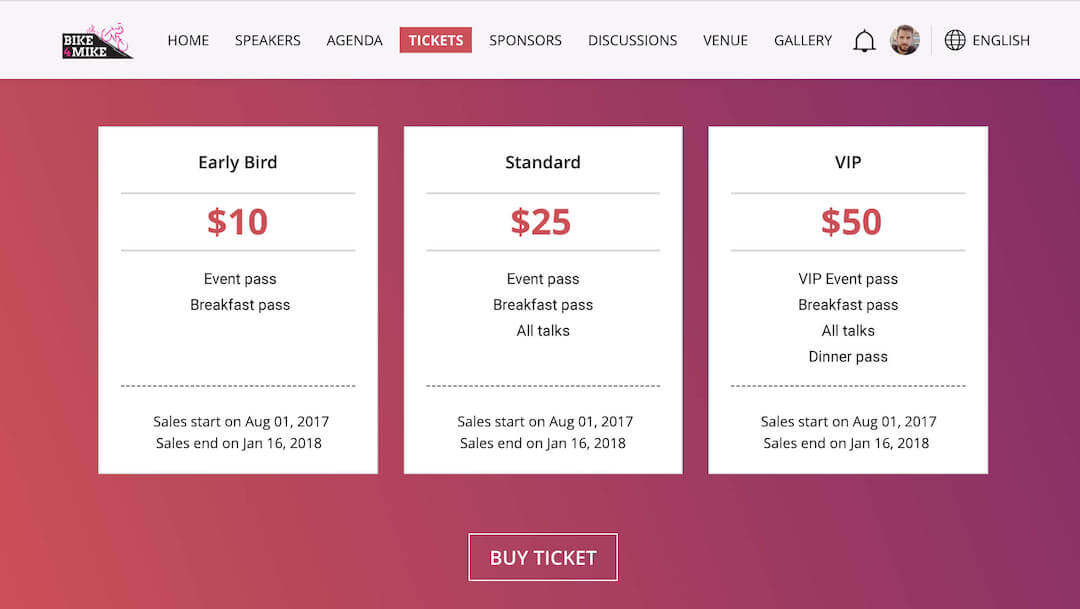
Open the floor to your attendees. Customise your tickets using our seamless integration with Eventbrite. Configure costs and quantities for multiple ticket tiers, from “Early Bird” pricing to VIP packages, or simply choose free tickets to manage registrations at no cost.
Image already added
Image already added
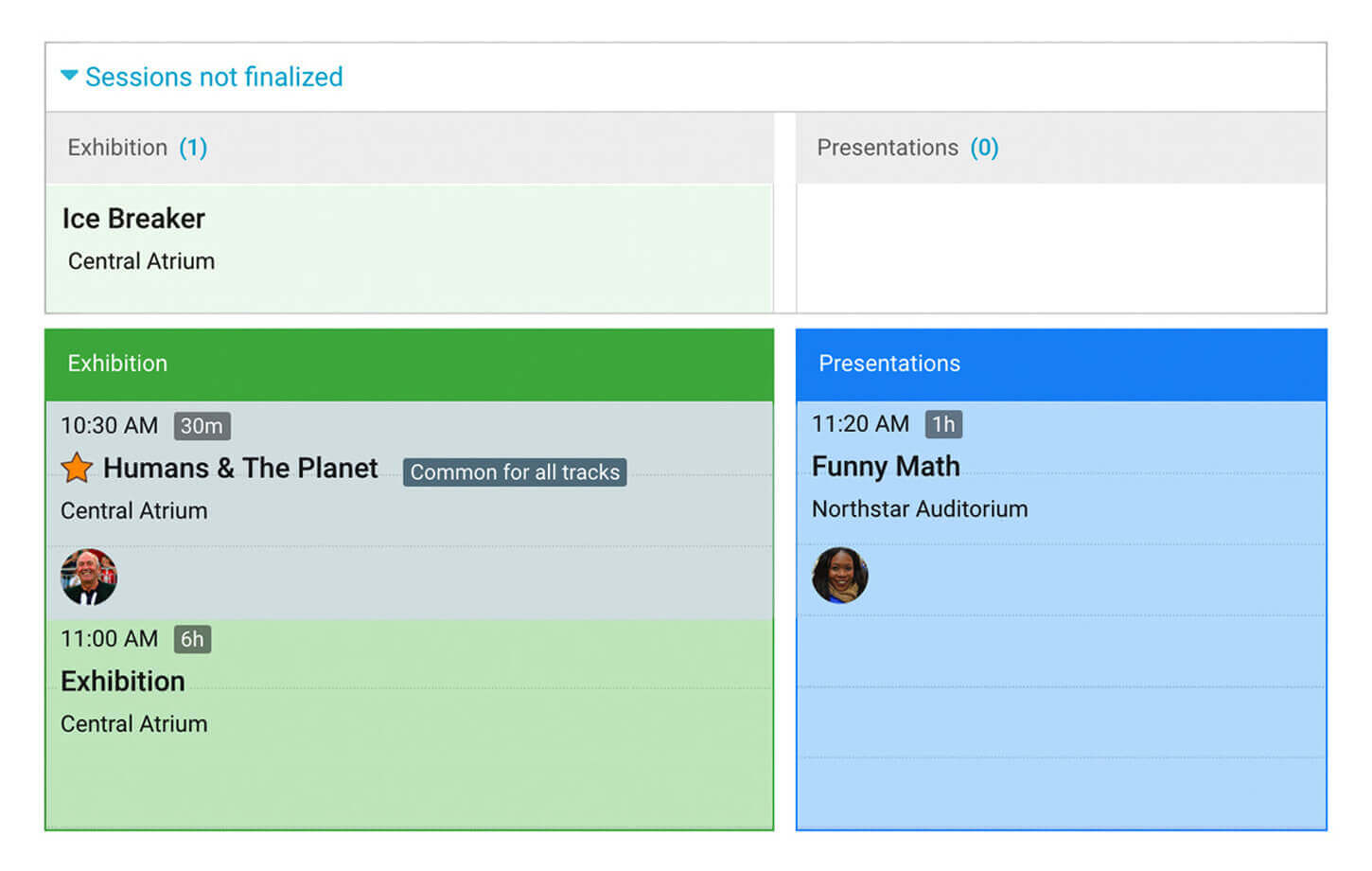
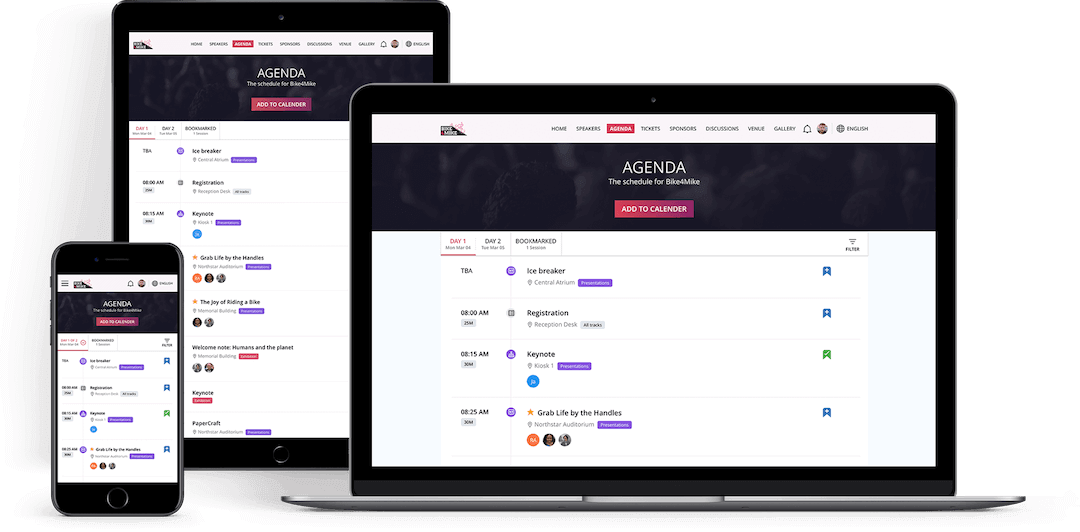
No more handouts or spreadsheets! Say no to paper altogether. Plan, build, and display a comprehensive schedule on your site with our intuitive Agenda Builder.
All this information will be available on your attendees’ smartphones, right at their fingertips.
Image already added
Image already added
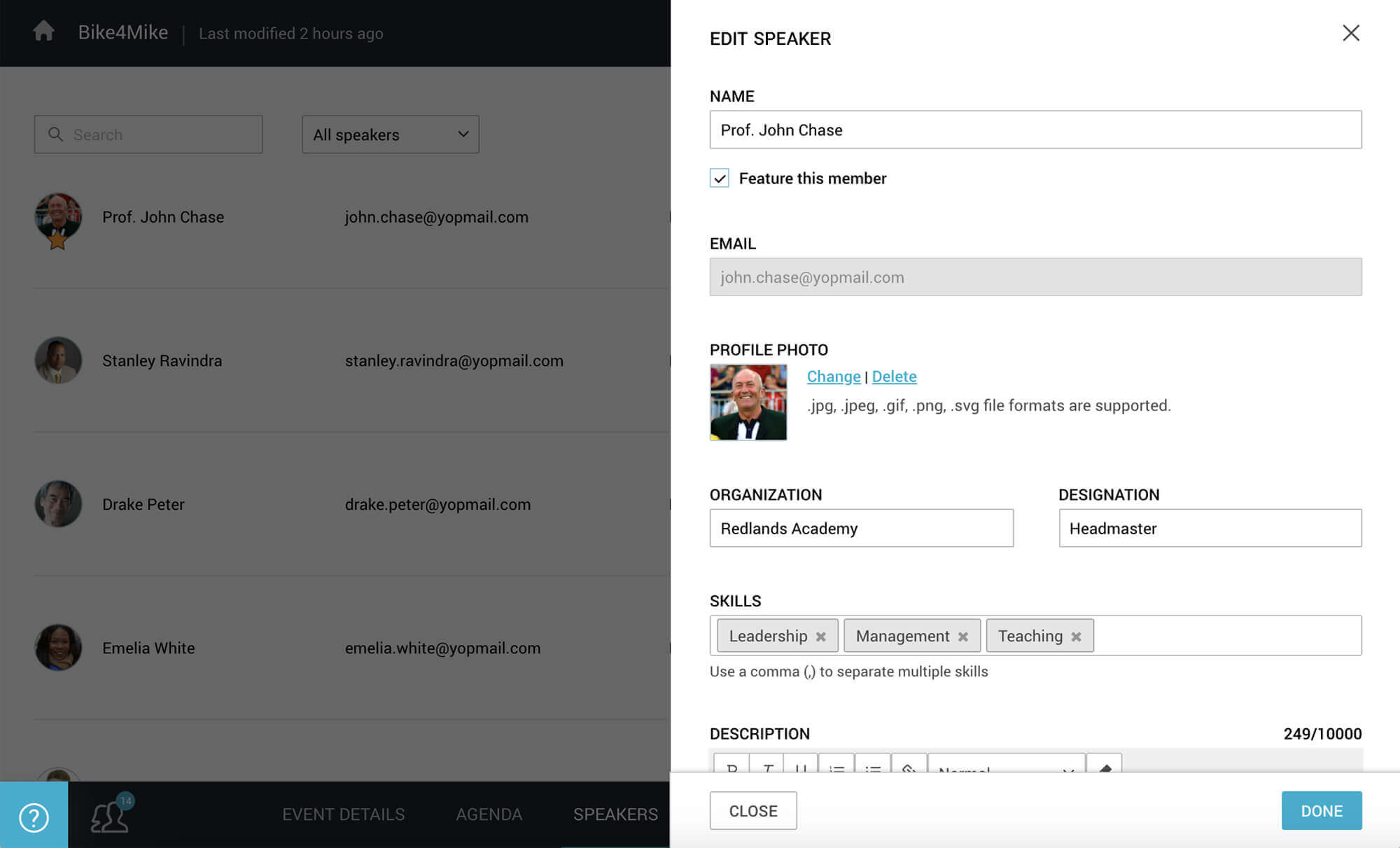
Backstage 15 Day Test DriveHave an interesting list of speakers lined up to take the stage? Say it out loud on your event website with detailed speaker profiles. Upload your speakers’ photos, share workplace details, add designations and write brief descriptions. Highlight your star speakers to attract a large audience.
Image already added
Image already added
Let everyone hear about your event. Promote your published event website using our tools. Reach people by selling tickets, sharing banner ads on blogs and websites and spreading the word on social media.
Image already added
Image already added
Advertise to the right people and fill your seats. Your attendees can skip long queues and buy tickets right from your event page, no matter where they are. Allow registrations in bulk for teams, friends and other groups. Getting access to your event is now a walk in the park.
Image already added
Image already added
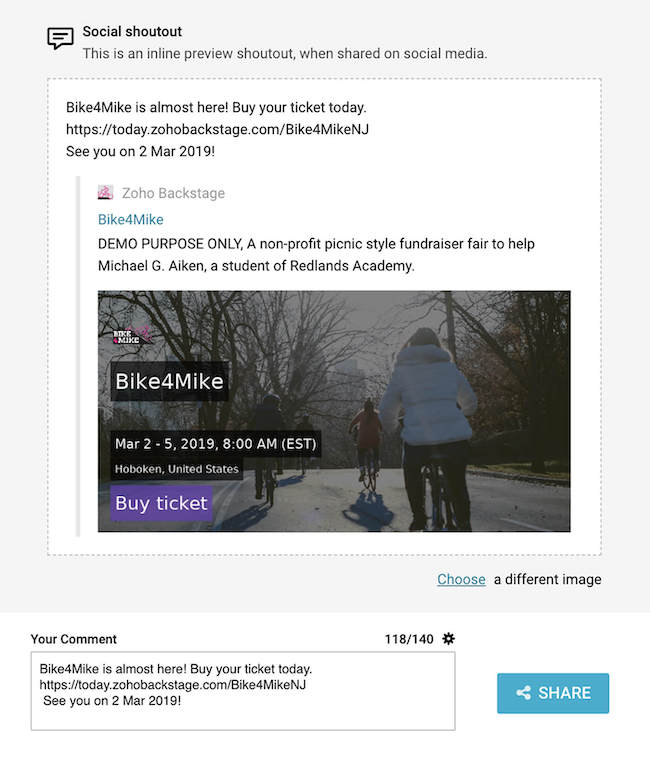
Tell the crowd about your event on social media. Spread the word on Facebook, Twitter, Google+ and LinkedIn with an easy-to-use dashboard. Choose from our crafted snippets, or edit and share one of your own; say something fun and get a buzz going across all social platforms. Be entertaining and be heard.
Image already added
Image already added
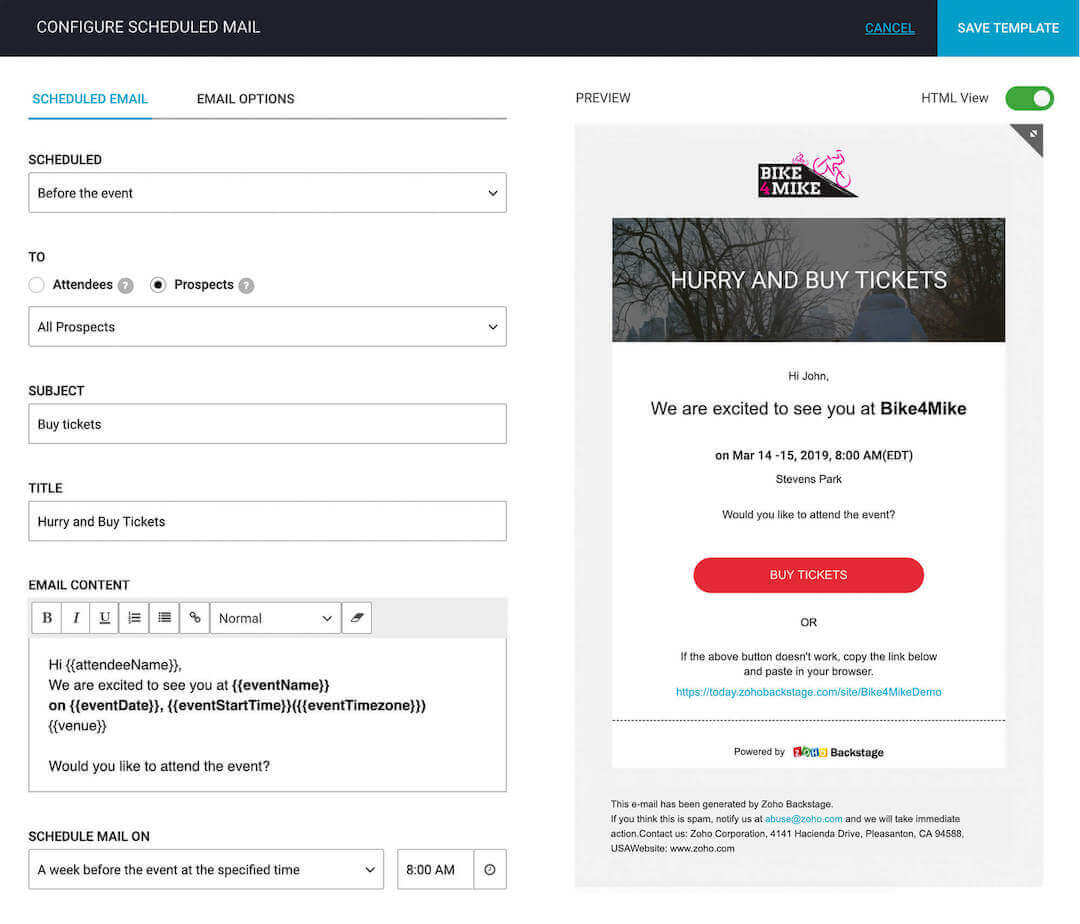
Never miss out on a prospect! Improve your turnout with automated reminder mails. Choose from one of the suggested mail templates, modify the message and schedule mails in advance, all from one place. Save on effort while your ticket sales head to a sellout.
Image already added
Image already added
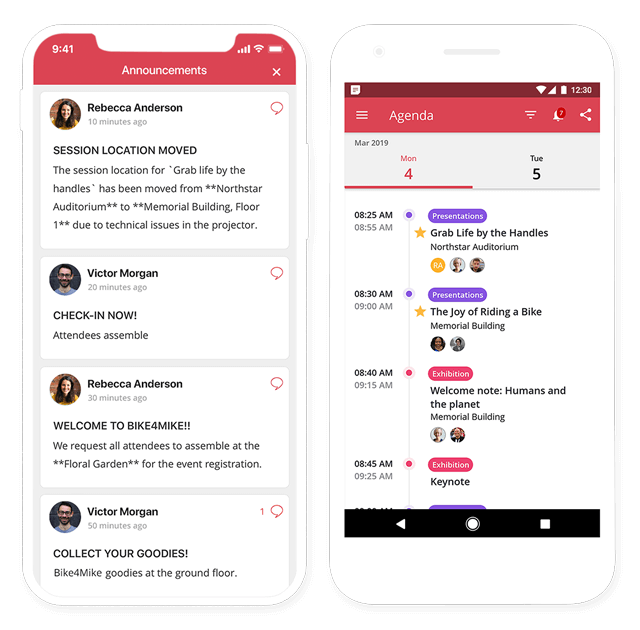
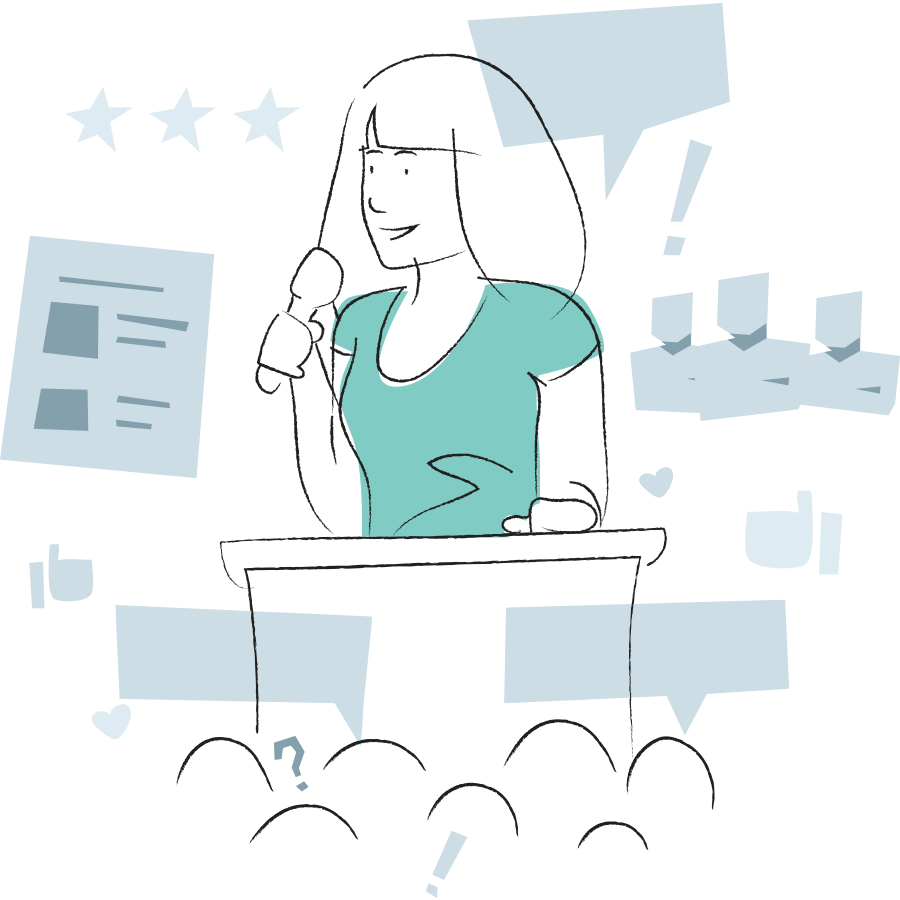
Add engagement to your event experience. Your website and mobile application will act as an in-person guide while you run your show from one place. Your attendees can register with a simple check-in, follow live announcements on their screen and personalise their agenda.
Image already added
Image already added
 Backstage 15 Day Test Drive
Information is power; bring all your event info to your attendees’ smartphones. Your mobile interface will tell them how to get to your event venue, where each session is going to be, when a session is about to start, who’s talking and more. Be virtually present beside every attendee and walk them through your event.
Image already added
Image already added
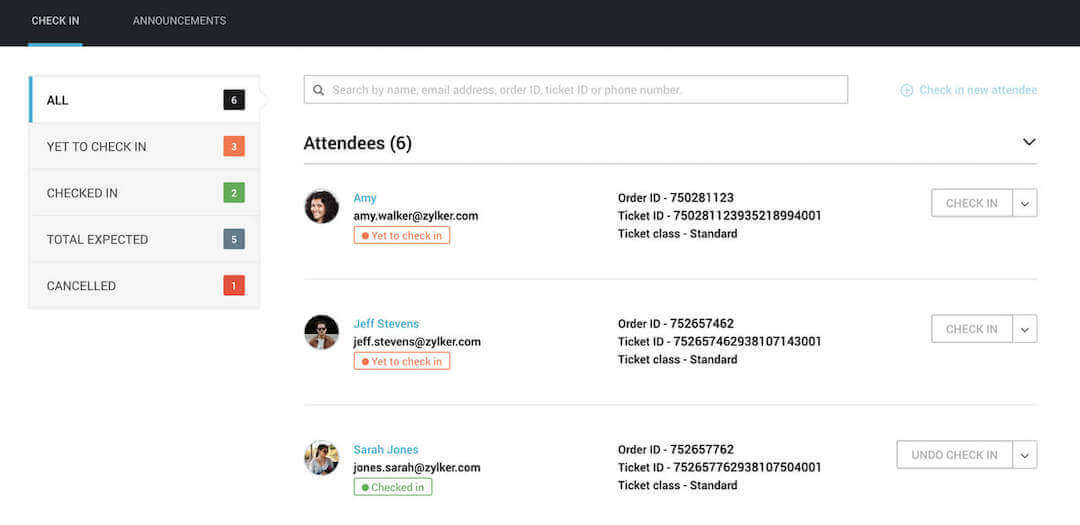
Start your event on time. Cut tedious registration hours with easy attendee enrollments on event day. Let your guests pass in two simple clicks: search and check-in. Take a quick peek at the attendee list on your dashboard at any time.
Image already added
Image already added
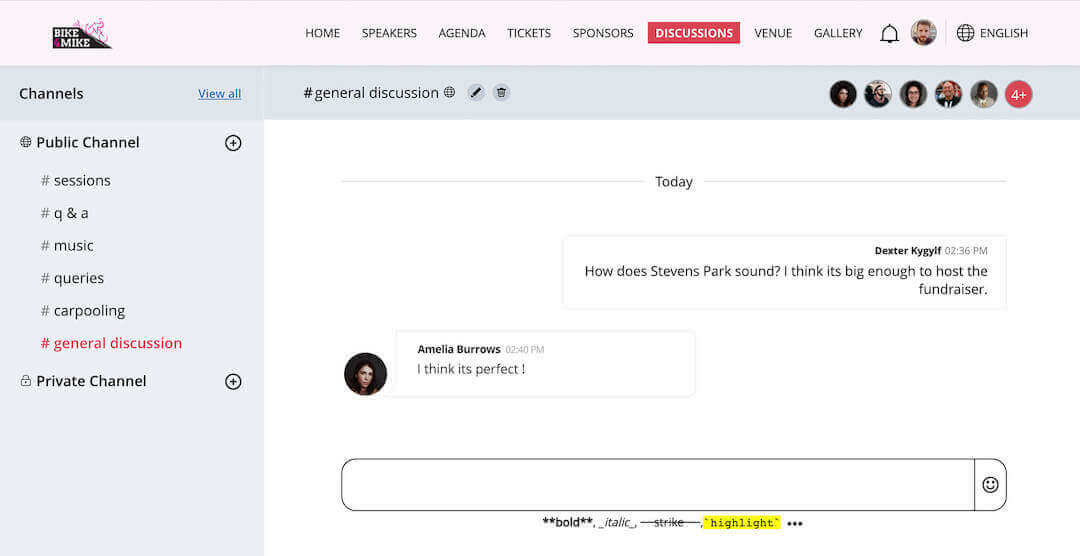
People bond over their ventures, passions and interests. “Discussions” is a messaging platform on the event page that provides your speakers, attendees, and yourself a place to easily connect with each other.
Image already added
Image already added
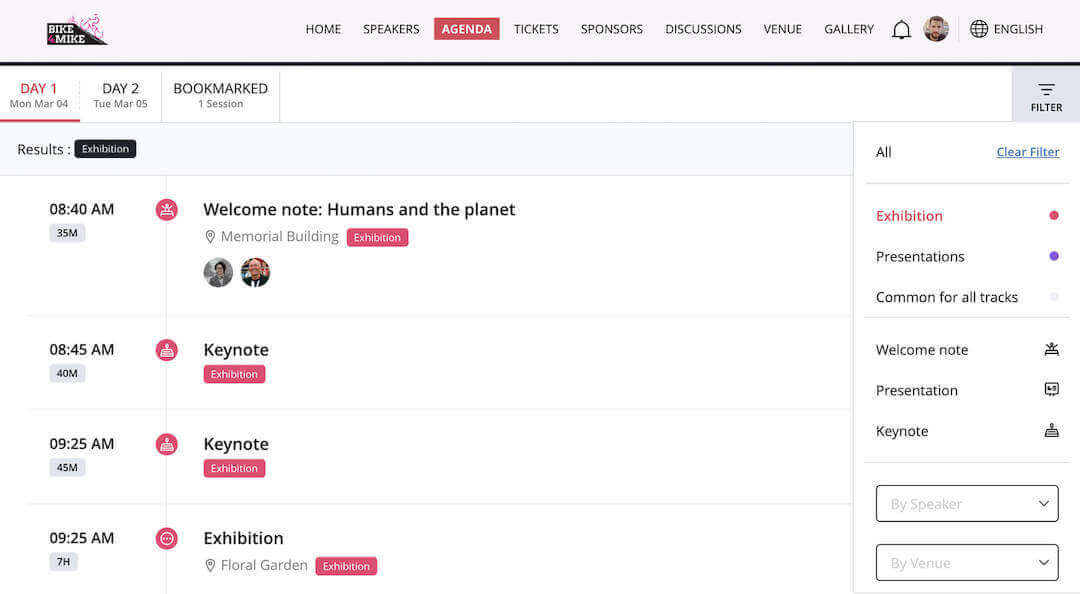
One agenda doesn’t fit all. Attending your entire selection of sessions could leave your guests running in circles. Allow them to pick sessions and draw up a custom schedule for the event day. Let them tune their agenda to resonate with their interests.
Image already added
Image already added
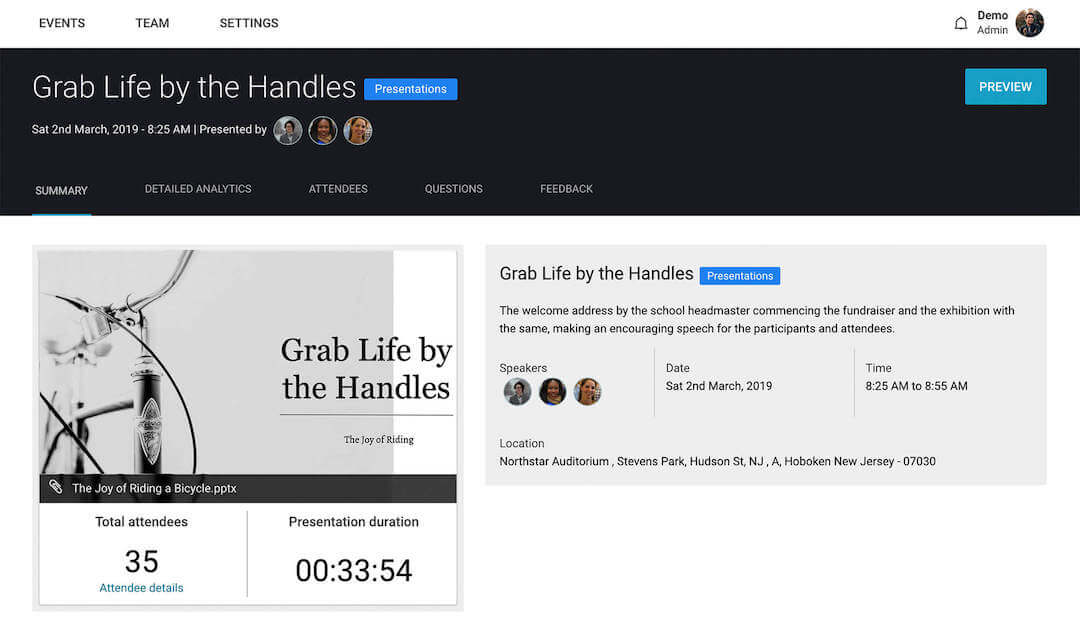
Use Zoho ShowTime to get a bird’s eye view of your event experience. After the curtain falls on your event, leverage the attendee summary, session analytics and speaker performance metrics to create value and improve event quality.
Image already added
Image already added

Interactive features and detailed post-session analytics help your speakers build and assess audience engagement.
Image already added
Image already added
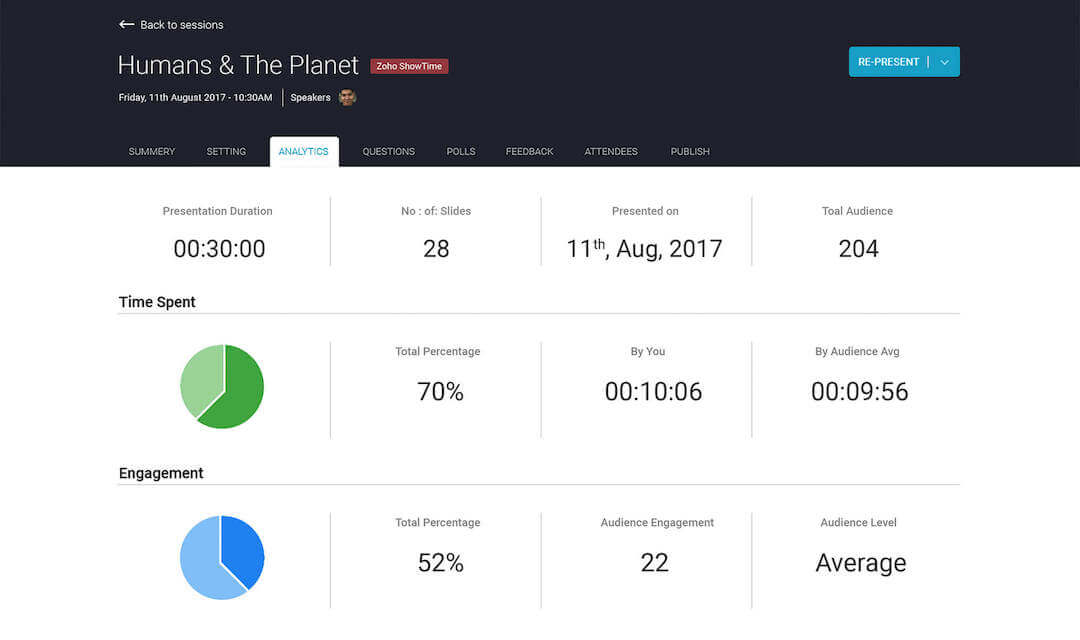
After your event, get a look at your sessions in numbers and improve your agenda accordingly.
Image already added
Image already added
Discover more about your attendees. Segment those who registered, those who bought a ticket, and those who turned up. Archive the participants who matter; keep the conversation going post event, collect feedback, and call on them for your next occasion.
Image already added
Image already added
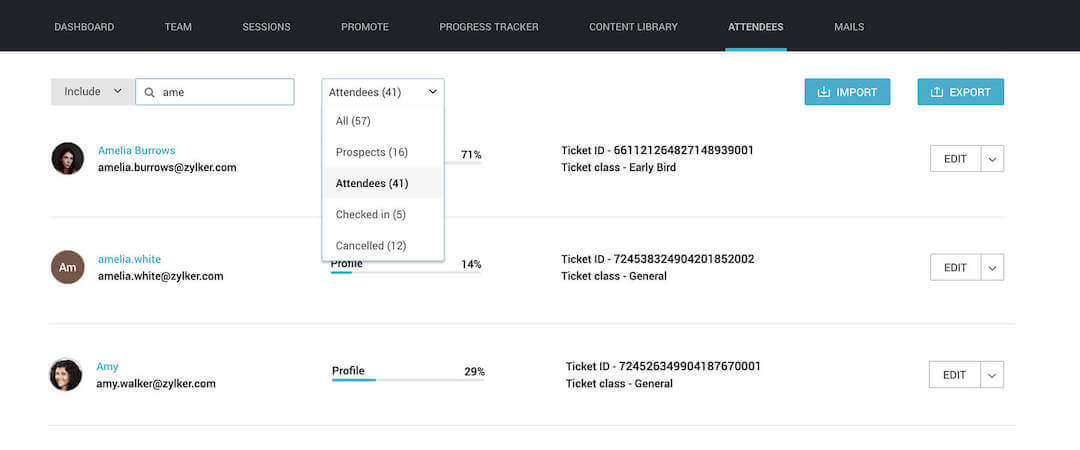
Attendees can be a part of the community, join discussions, and receive announcements on-the-go.
Offer personalized agenda building updates to make your attendees feel that the event is just for them.
Speakers can engage attendees and invite participation through slide likes, comments and Q&A.